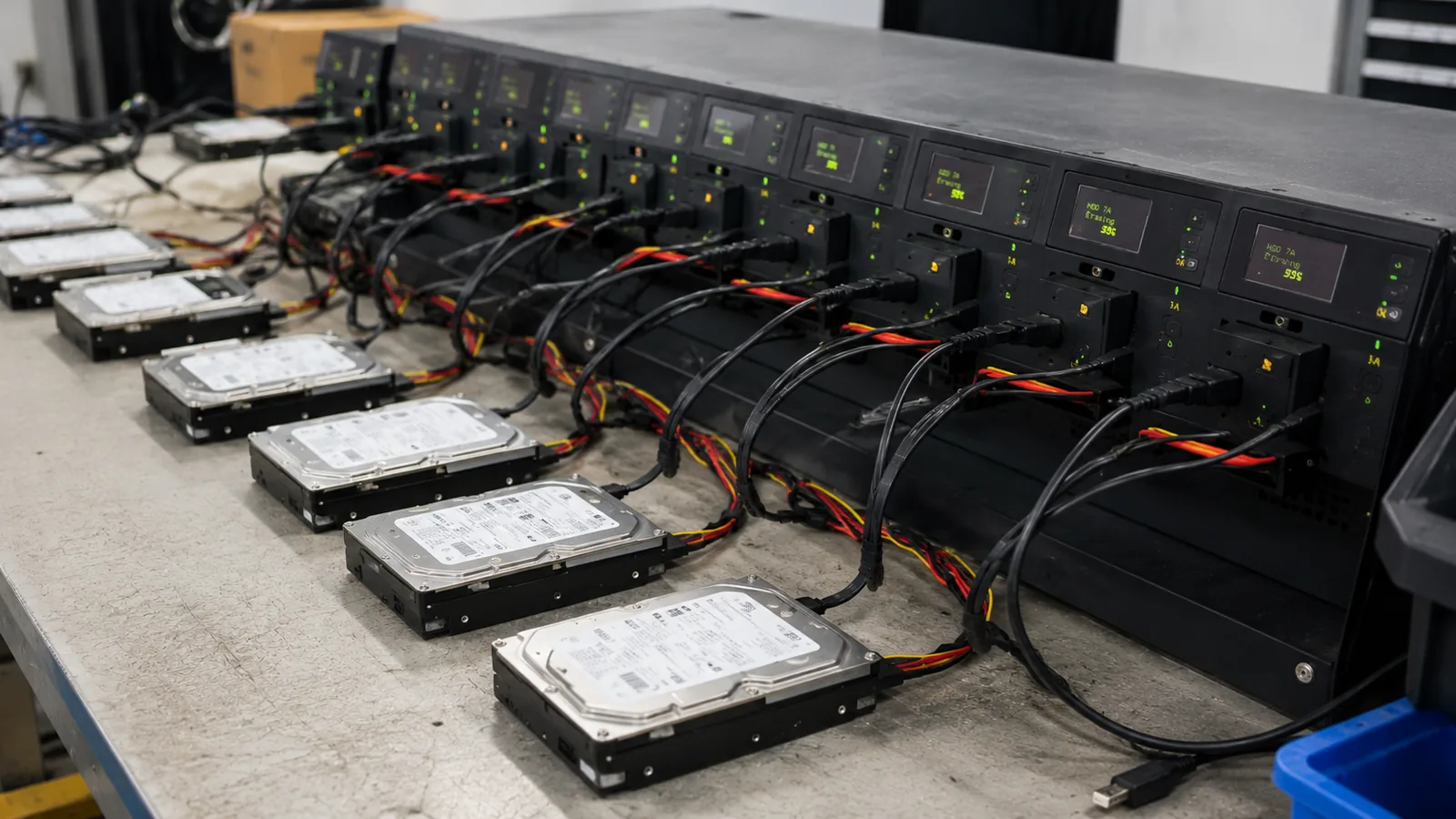
Hard drives connected at a secure media sanitization station
Certified Data Destruction
HDD

Hard Drive Disposal & Certified Shredding

Physical shredding, degaussing, and on-site witnessed destruction — every drive inventoried, every destruction documented. HIPAA and FACTA compliant.

Physical shreddingFragments too small to read
Degaussing availableMagnetic drives erased
On-site optionWitnessed destruction
Certificates issuedHIPAA & FACTA ready
Why It Matters

The cost of skipping certified destruction

$4.88M
Average cost of a data breach
IBM Cost of a Data Breach Report, 2024
2mm
Maximum fragment size under NSA/CSS EPL hard drive destruction standard
NSA/CSS Evaluated Products List (EPL) for Hard Disk Drive Destruction Devices
NIST 800-88
Federal media sanitization standard — physical destruction satisfies all three levels
NIST SP 800-88 Rev. 1 — Guidelines for Media Sanitization
The Liability Gap

A drive that leaves without documentation is your organization's problem

Hard drives from retired workstations, decommissioned servers, and swapped laptops rarely get the attention they deserve. A factory reset doesn't erase data — it only removes the directory, leaving every file intact and recoverable with off-the-shelf tools. Physical destruction is the only method that eliminates the risk entirely.

AVA Recycling provides certified hard drive shredding and degaussing for businesses of every size across the Chicago metro area. We issue a Certificate of Destruction for every pickup. Serial-number inventory — logging each drive individually before destruction — is available on request and gives your IT and compliance teams a verifiable closed-loop record.

For healthcare organizations, law firms, financial institutions, and government agencies with heightened chain-of-custody requirements, we offer on-site witnessed destruction. Your representative observes the shredding and countersigns the certificate before the truck leaves your facility.

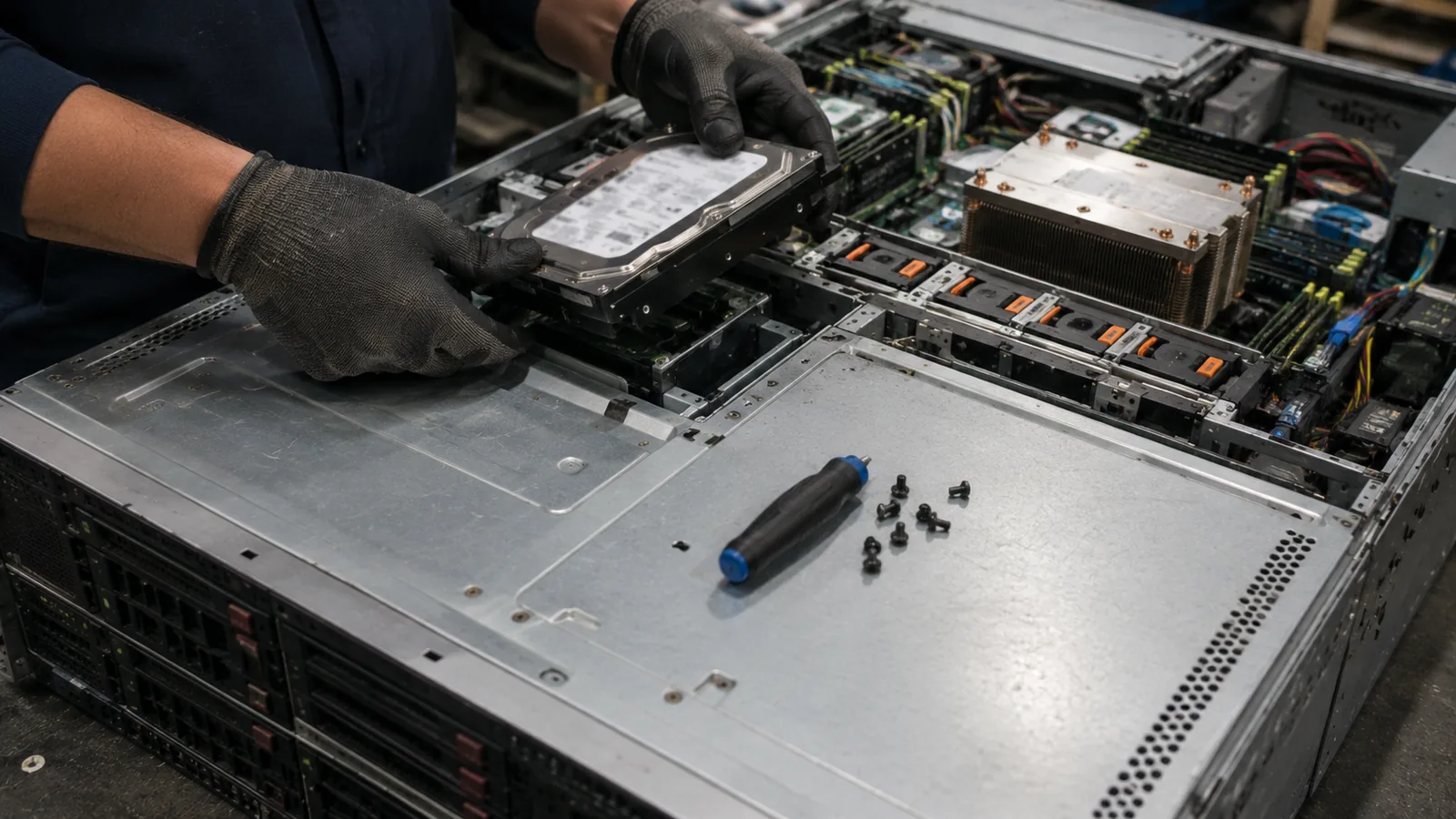
Technician disassembling a server for certified hard drive destruction
The Destruction Standard

Choose a method that matches the media

Good data destruction is more than pressing reset. It is a documented sequence from identification through final destruction.

01

Shredding, degaussing, and wiping are not interchangeable

A software reset changes the operating system's view of a file; it does not automatically make every sector unrecoverable. Degaussing can disrupt data on magnetic hard-disk platters, but it is not a universal answer for SSDs, flash media, or every modern storage architecture. Physical destruction is the method that removes the media from service and eliminates the possibility of software-based recovery.

AVA scopes the destruction method around the media you actually have. Magnetic HDDs may be degaussed and then physically destroyed when the project calls for both steps. SSDs, hybrid drives, tapes, and other data-bearing media are routed to a physical-destruction process appropriate to their construction, with the selected method recorded in the project documentation.

  • HDDs, SSDs, server drives, laptop drives, and backup media
  • Serial-number inventory available before destruction
  • Certificate of Destruction listing date, quantity, media, and method
02

What a defensible chain of custody looks like

A defensible destruction project connects the asset list in your records to the media that was actually destroyed. At pickup, the quantity and asset type are confirmed. When serial inventory is requested, drives are logged before leaving your site, and the destruction record is matched to the load rather than relying on an approximate box count.

That record matters during an audit, an insurance review, a merger, or an incident investigation. Healthcare, financial, legal, and government teams can retain the certificate and inventory with their asset-retirement paperwork. For organizations that need a witness, on-site destruction provides an additional point of confirmation before the media leaves the facility.

  • Pickup receipt and tamper-aware handling
  • Witnessed on-site option for higher-sensitivity projects
  • Audit-ready documentation for IT and compliance teams
Build the Project Around the Media

A professional destruction plan is traceable from pickup to certificate

The right service scope makes the destruction method, chain of custody, and final paperwork understandable to IT, compliance, and leadership.

01

Start with the asset scope

Gather the approximate quantity and identify whether the load contains laptop drives, desktop HDDs, enterprise server drives, SSDs, tapes, or mixed media. The more accurately the media is described, the easier it is to choose the right containers, inventory approach, and destruction method.

If the drives are still installed in servers or workstations, say so when requesting service. A decommission may require equipment disassembly before the media can be logged, secured, and destroyed.

02

Choose pickup or witnessed service

Off-site pickup is appropriate for many routine refreshes and cleanouts. For sensitive environments, on-site witnessed destruction lets an authorized representative observe the process before the media leaves the building. Both options can use the same documented inventory and certificate workflow.

Tell the project coordinator about security desks, elevator restrictions, loading access, and any need for tamper-evident staging. These details reduce delays and keep the chain of custody clear from the first handoff.

03

Match the method to the media

Magnetic hard drives and solid-state drives do not store data in the same way. A method that is effective for magnetic platters is not automatically sufficient for flash memory. The project plan should distinguish HDDs, SSDs, removable media, and backup devices before processing begins.

When multiple methods are used on one load, the certificate should identify the media categories and the method applied. That gives an IT or compliance reviewer a useful explanation instead of a generic statement that equipment was recycled.

04

Close the asset-retirement loop

After destruction, retain the certificate with the asset-retirement record, purchase or surplus file, and any serial-number report. If the project also includes whole computers or servers, request recycling documentation for the remaining equipment so data destruction and material recovery are recorded together.

A consistent closeout process helps during audits, insurance reviews, mergers, and future technology refreshes. It also gives the next project team a repeatable model for handling retired media without relying on memory or an approximate box count.

Controlled Media Handling

Make the destruction decision before the drive leaves your site

A secure media project starts with identification and a controlled handoff—not with an anonymous box arriving at a recycler.

Keep drives together by department, asset list, or service date and identify any media that requires serial-level reporting. If drives are still installed in computers or servers, include disassembly in the project scope so the storage is not separated from its documentation.

When your team can see how the media is staged, inventoried, and transferred, the final certificate becomes part of a traceable control rather than a generic disposal receipt. That distinction matters for audits, insurance reviews, and sensitive technology refreshes.

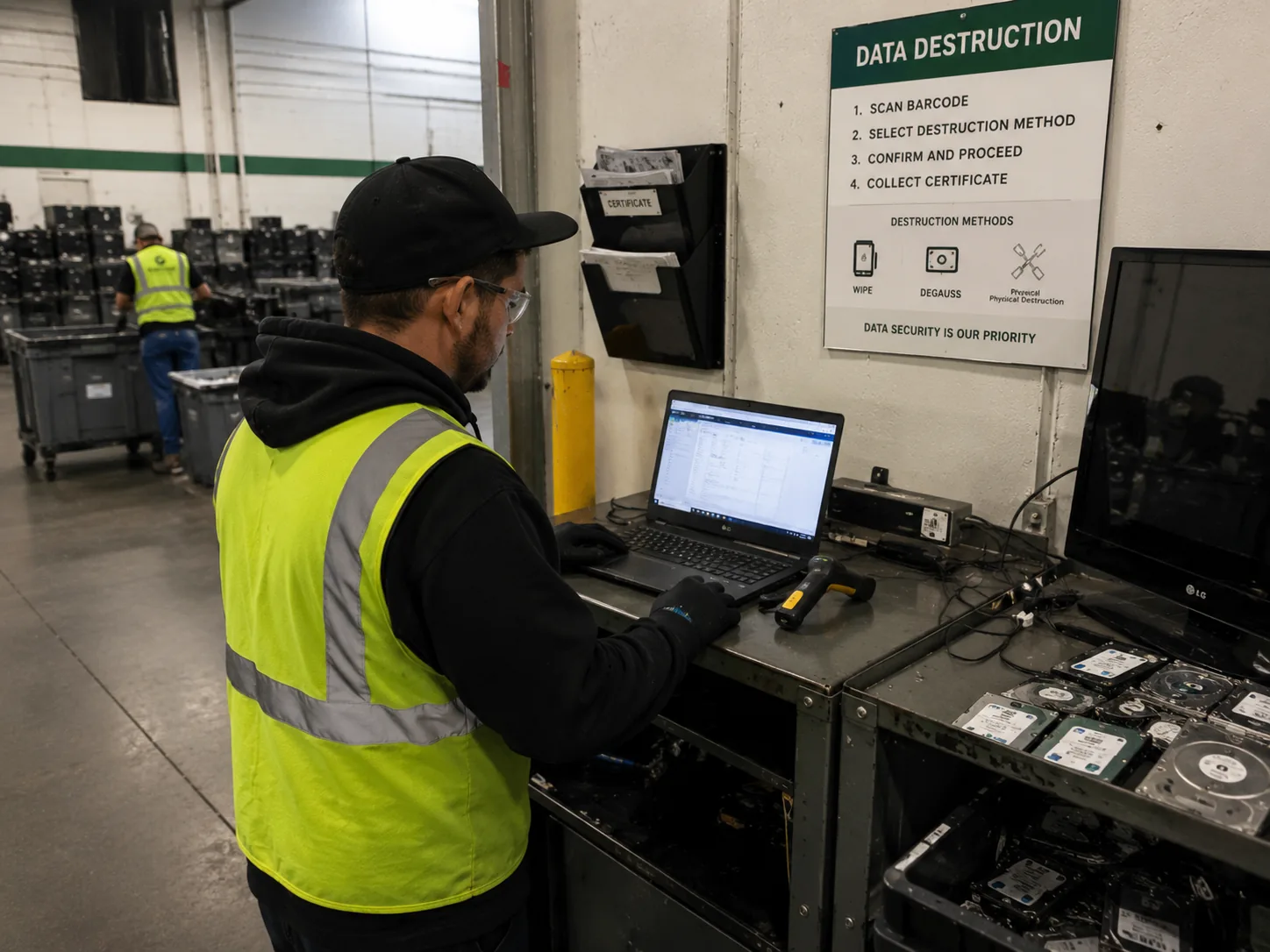
Secure workstation prepared for data-bearing media destruction
How It Works

From pickup to certificate — four steps

  1. 1

    Schedule — pickup or on-site

    Tell us the quantity, drive types, and whether you need witnessed on-site shredding or secure off-site pickup. Fast pickup is available when route capacity allows; we will confirm timing for your project.

  2. 2

    Inventory — every drive logged

    On arrival, drives are counted and — when serial-number inventory is requested — each drive is logged by make, model, and serial number before leaving your facility. A receipt is issued on the spot.

  3. 3

    Destroy — shredded or degaussed

    HDDs and SSDs are physically shredded to 2-inch fragments or smaller. Magnetic HDDs can also be degaussed first for an additional assurance layer. The method is recorded in your certificate.

  4. 4

    Certify — documentation delivered

    A Certificate of Destruction is issued listing the date, quantity, asset types, method used, and our technician's signature. Serial-number inventory reports are attached on request — audit-ready.

Common Questions

Hard Drive Disposal FAQ

Get Started

Destroy Your Drives Securely

One call covers pickup, destruction, and compliance documentation — closed loop, no loose ends.

HIPAAFACTANIST 800-88
  • HIPAA / FACTA Compliant
  • Free data destruction on pickups
  • Transparent, upfront pricing
Or call 866-770-2650

Proof of Compliance

Every processed load receives a fully auditable Certificate of Destruction, establishing a clear chain of custody for your compliance records.